FOR SOLOPRENEURS AND PROFESSIONALS
Your work has grown. Has your website kept up?
Bring your best work out of old decks, notes, and project folders. We’ll build a website that shows your value, with an AI operating system that organizes your work and helps you keep your site current.
Build with AI. Without the AI slop.
$1,250 founding fee until November 9, 5 p.m. EST.
Course kicks off in January.
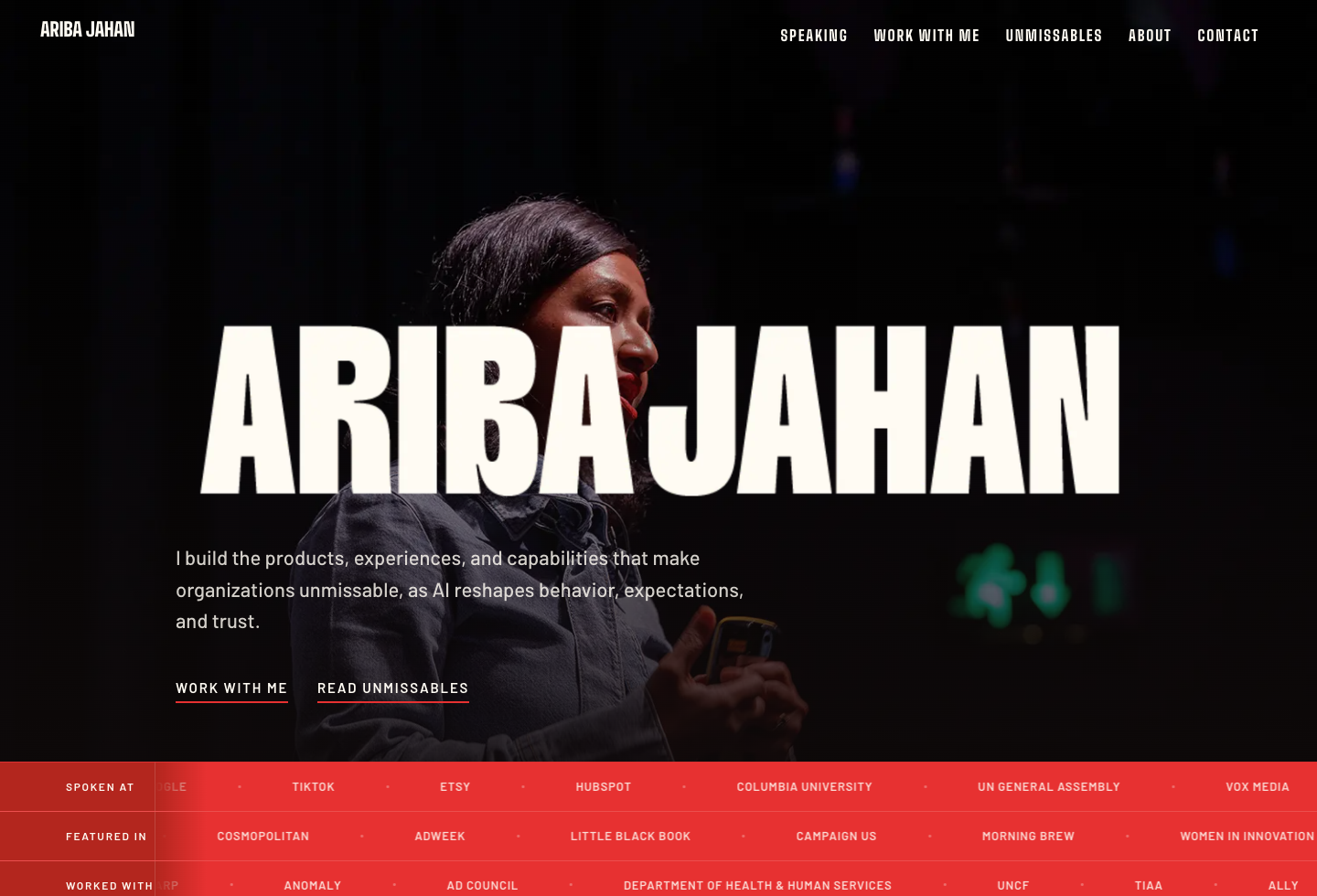
YOUR OWN.
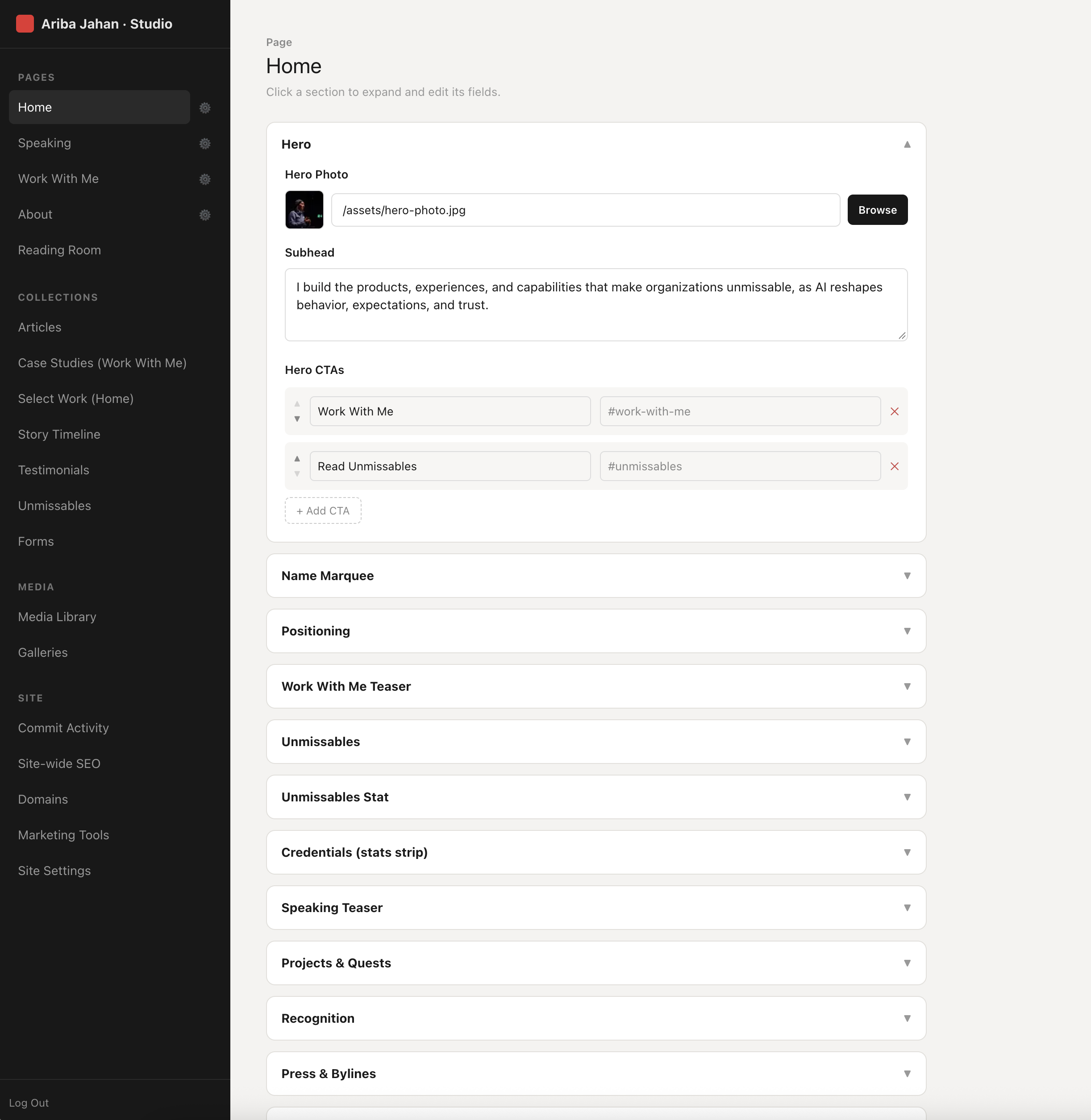 YOUR CONTENT. YOUR CONTROLS.
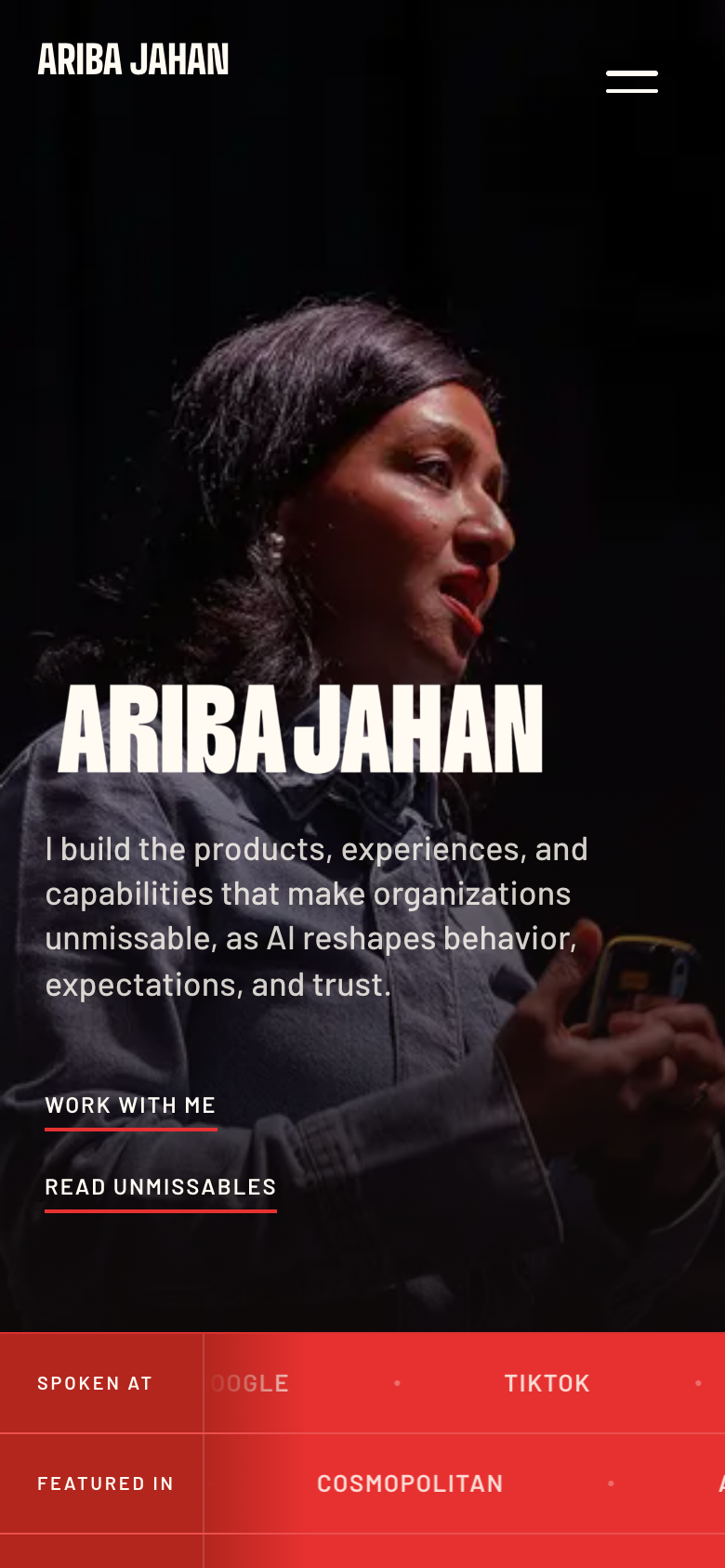
Built by Ariba Jahan. The process is what you’ll learn.
Put AI to work for you
Build an AI operating system around your projects, ideas, and ambitions. Give AI the context to help you turn what you know into work you can use.
I’m in this with you
An intimate group, candid feedback, and my product, growth, and design expertise applied directly to what you’re building.
A website that opens doors
Make your expertise clear to the right people, with a site you’re proud to share and can easily update as your work grows.
What you’ll build
Work out what belongs on each page, then design and build it around your expertise and the work you want to show.
- Your pages: communicate your expertise, showcase your work, and give visitors a clear next step.
- Desktop and mobile: adapt layouts, navigation, images, and content to each screen.
- Your analytics: connect Google Analytics to see how people find your site and which pages they visit.
- Your launch: connect your own domain and add your favicon, the small icon in browser tabs and bookmarks.
You own the code and content, with the ability to move hosts.
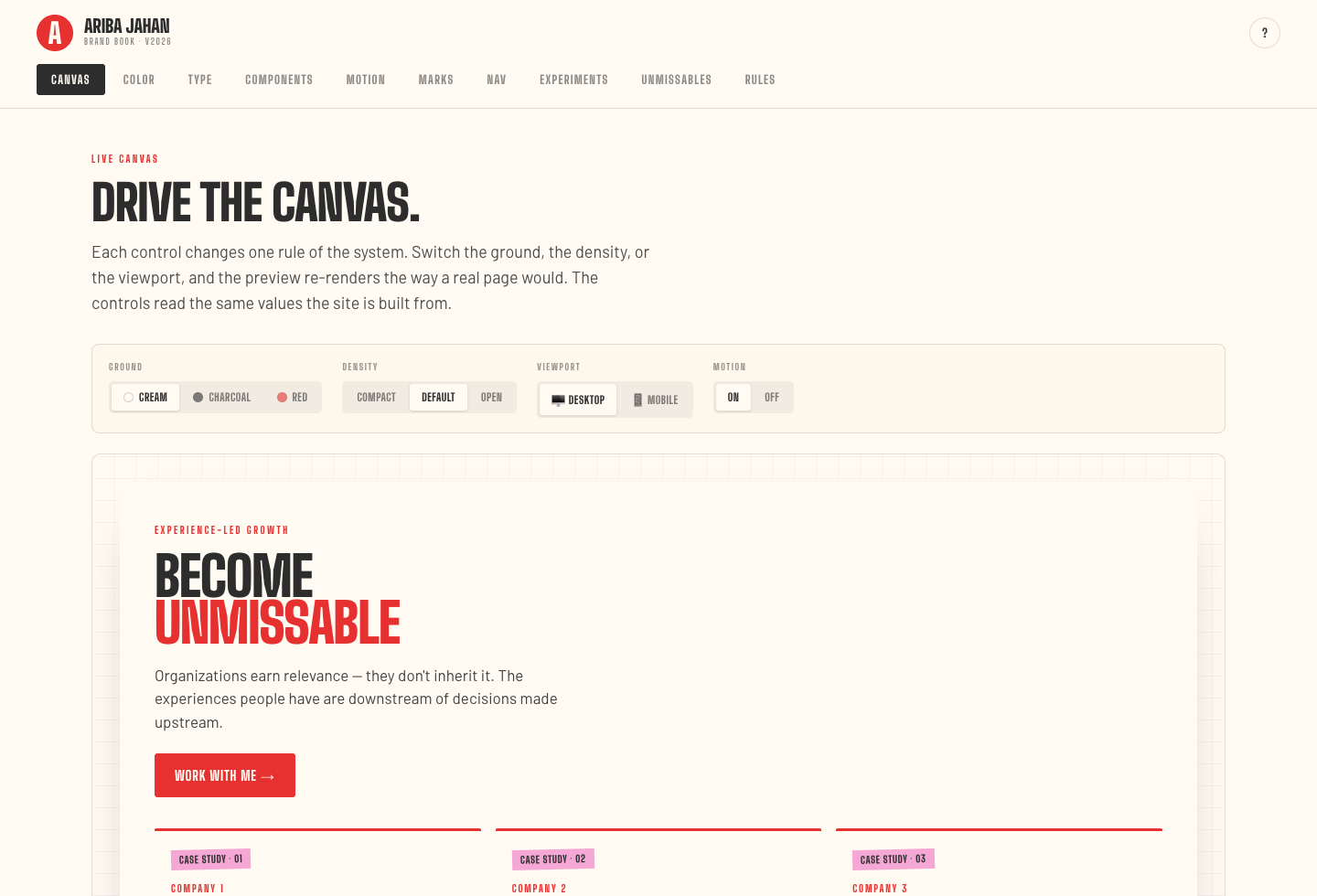
Create a visual language you love, then build the system that keeps it consistent.
- Your visual identity: a logo or wordmark treatment, typography, color palette, and imagery direction.
- Your components: consistent styles for buttons, links, and recurring page layouts.
- Your AI reference: a brand book you can give your AI so future changes follow your design direction.
- Room to evolve: learn how to update the system as your work and preferences grow.
Use your visual language across your site and future materials.
Build the controls for the parts of your site you want to update yourself. Start with your everyday content, then learn how to make more of your site editable as your needs change.
- Your content: copy, projects, case studies, and testimonials.
- Your media library: upload, organize, and reuse images across your site.
- Your SEO settings: page titles, descriptions, URLs, and image alt text.
- Your share previews: choose the image, title, and description supplied when someone shares your site on LinkedIn or in a message.
- Your site controls: choose which links, calls to action, and page sections you want to manage.
Ariba Jahan’s CMS. You’ll build a simpler version around your own content.Your AI operating system
Your project files, voice, and design decisions, organized on your computer. You’ll learn to create reusable skills and commands so AI can build on that context when you update your site or develop your next case study or pitch.
Project context
Organize your files and write instructions so the AI can refer to your brief, voice, and design choices as you build.
Reusable skills
Package instructions for work you do repeatedly, such as writing a project page in your voice or following your brand book.
Slash commands
Create shortcuts for repeatable workflows, such as reviewing a page before publishing. Use and refine them on your own project.
The workshop series
Bring the website you’ve been meaning to build. I’ll demonstrate each step, give you direct feedback, and help you work through the decisions along the way. I’m keeping the group intentionally small so we can spend time on your own site.
Guided preparation. I’ll give you a checklist, inspiration, and guidance on the copy, images, and work samples to pull together before we begin.
01Build your AI workspace
Set up your local AI workspace: project folders, reference files, and instructions the AI can use across sessions. Decide who the site serves, what they need to understand about your value, and the action you want them to take. Use that to decide which pages you need and the job of each page.
You’ll work on: a working project folder, site brief, page map, and content outline.
02Find your design direction
Explore references and distinct directions in Claude Design using your own copy. Choose how to express your expertise and personality while keeping the visitor’s next step clear. You’ll learn how to judge and improve what AI builds: typography, spacing, layout, navigation, and how content adapts from desktop to mobile. We’ll work through what helps someone understand your value and know what to do next. Document your design choices in a brand book. Turn recurring design instructions into a reusable skill.
You’ll work on: your chosen design direction and a reusable visual reference.
03Build your homepage
Move the design into Claude Code or Codex. Build the homepage and design its desktop and mobile layouts. Adapt navigation, image crops, section order, and interactions for each screen; test on your phone and practice giving the AI specific feedback. Extend those patterns to your remaining pages between sessions.
You’ll work on: a working homepage and a repeatable way to build the rest.
04Make it yours to update
Build on a prepared CMS foundation. Choose the content fields and controls you need. Connect the editor to your copy, images, projects, testimonials, and page-level SEO settings. Practice adding a case study and checking the result before publishing.
You’ll work on: an editor configured for your site and a tested content update.
05Get ready to launch
Check mobile layouts, links, contact routes, and accessibility basics. Set page titles, descriptions, and social-sharing images. Connect your own Google Analytics account and verify a visit. Work through connecting your domain and publishing, then practice making a change and restoring an earlier version. Create a slash command for a repeatable task, such as checking a page before publishing.
You’ll work toward: a published site, with a clear list of anything still needed before launch.
06Flexible office hours and site feedback
Bring questions from your preparation, build, or launch. I may split the group office hours into shorter sessions at different points so you can get help when it is most useful. Each participant also gets a bookable 30-minute individual session with Ariba Jahan.
Bring: your site, the change you want to make, or the thing you’re stuck on.
Make time to build between sessions. I’ll guide your preparation and help you work through questions as you go.
The tools
I’ll guide you through the setup and show you how to use these tools as we build. You’ll learn what each one does by working on your own site.
Claude Design
Explore visual directions and develop your brand book.
Claude Code or Codex
Work with an AI coding agent on files on your computer.
Next.js + React
Build the pages and components that make up your site.
GitHub + Vercel
Keep a history of changes and publish on your own domain.
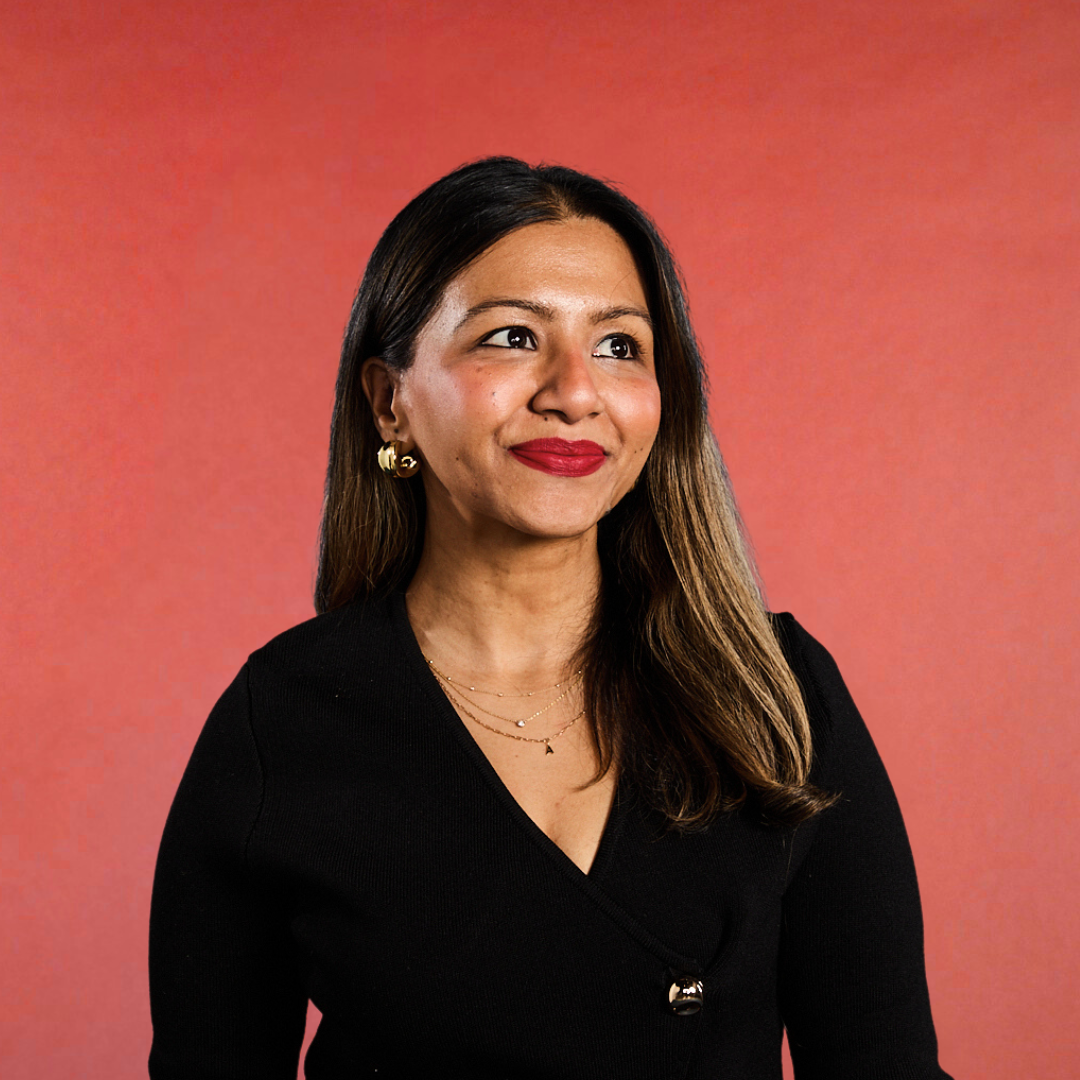
Build with me.
Ariba Jahan
I’ve led product, innovation, and digital experience work at the Ad Council and Anomaly. I built my own site with AI and documented the decisions behind it.
Now we’ll apply that experience to yours. I’ll work with you on how your site communicates your value, give you direct design feedback, and guide you through directing the AI.
Join the founding cohort
Course kicks off in January. Sessions begin January 7, on Thursdays at 1 p.m. ET, for 60–90 minutes, with flexible office hours.
FOUNDING FEE
$1,250USD / participant
Includes a 30-minute one-on-one with Ariba Jahan.
Available until November 9 at 5 p.m. EST. After that, enrollment is $1,500.
Before you join
Who is this for?
For solopreneurs and professionals who want a digital presence that reflects their expertise and ambition—whether you’re growing a business, exploring your next role, or making room for what comes next.
How is this different from other courses?
We’re not just vibing. We’re using strategy and design judgment. We’ll build with AI while making deliberate choices about your brand, how your site communicates your value, and the experience people have using it. I’ll help you evaluate what’s working and guide what needs to change.
You’ll set up a local AI workspace and create a CMS you can keep updating as your work evolves. The group is intentionally small so you can ask me questions directly and get feedback on your own work throughout.
What do I need to get started?
No prior experience with these tools is needed. Bring a computer and a paid Claude account, and set aside time between sessions to work on your site. I’ll guide what you need to pull together with a thorough checklist, examples, and inspiration, including the accounts, copy, images, and work samples we’ll use. I’ll share the preparation guide before the course begins.
Our goal is to get your website live. Your progress will depend on the content you bring, the work you do between sessions, and the scope of your site. I’ll help you focus on the pages and features you need most and identify anything that needs more time.
We’ll set up your local AI workspace together, then work through GitHub, hosting, and connecting your domain. I’ll explain each tool and guide you through the setup. Your site will use Next.js, React, TypeScript, and Tailwind CSS with your AI coding agent.
Tool subscriptions, your domain, and hosting are separate from the workshop fee; I’ll make those requirements and costs clear before enrollment.
What can I update afterward?
Use your CMS to edit copy, manage your media library, add projects or case studies, manage testimonials, and update SEO settings. Connect your own Google Analytics account to understand visits to your site. For layout changes or new features, work with your AI coding agent, check the result, and publish the change.
What does it cost?
The founding fee is $1,250 until November 9, 2026 at 5 p.m. EST. After that, enrollment is $1,500. Tool subscriptions, hosting, and your domain may carry separate costs; those requirements will be made clear before enrollment.
How will the schedule work?
Course kicks off in January. Our first session is January 7, 2027. We meet Thursdays at 1 p.m. ET (10 a.m. PT / 6 p.m. UK), for 60–90 minutes. I’ll share the remaining session dates before we begin.
Office hours provide time for questions and site feedback. I may split them into shorter sessions before and during the build, placing the support where the group needs it most. I’ll confirm those times with you.
If you miss a session, I’ll share a recording of the teaching portion and the session instructions so you can catch up.
If the timing is your only hesitation, email me. With a small group, there may be room to adjust the schedule together.
Can’t make this round?
Send me a note and I’ll keep you posted when the next cohort opens. It goes straight to my inbox. I’d love to hear what you’re hoping to build.
Can I book additional individual feedback?
Yes. You can add a 60-minute review with me for $350. Choose website feedback, offer productization and strategy, or custom site feature planning. Email me if you’d like to add it.
This is additional to the 30-minute individual session included in your enrollment.
Will I own my website?
Yes. You own the code and content, and your domain and hosting accounts are yours. Once your new site is live and your domain is connected, you can finally cancel that Squarespace website subscription. You’ll still need a domain and hosting for your new site.
Let’s build something you’re proud to put your name on.
You’ve put a lot into your work. Let’s give it a home you’re proud to share.
Wondering whether this is right for you? Email me and tell me what you have in mind.
Want to build your AI skills with one-on-one support?
Work directly with me on what you want to build or do differently with AI. We’ll use your own projects and work through it together.